Let’s Talk About Nix. My Daily Driver
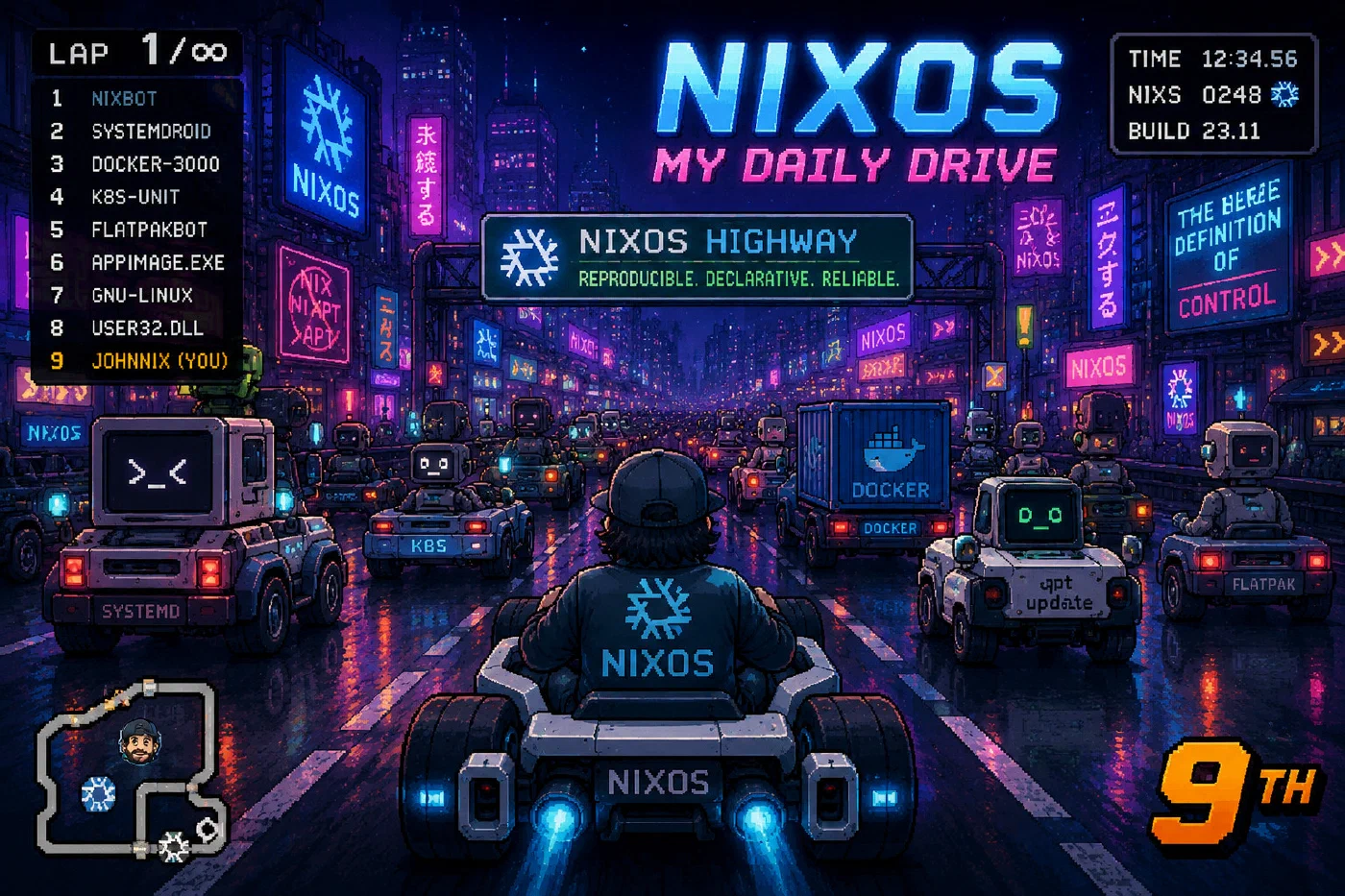
This is part of a series I am writing on NixOS. If you want a little background on my history with Linux and how I ended up daily driving NixOS, read this first: I use NixOS… BTW
What is NixOS?
Nix is really three things at once:
- A package manager and build system
- A programming language
- A Linux-based operating system
If you have never heard of Nix — or even if you have — you are probably scratching your head right now wondering:
“How the hell can it be all three of those things?”
That confusion is normal. Honestly, it is one of the reasons Nix has a reputation for having a steep learning curve.
Most explanations stop at:
“It’s declarative.”
While technically true, that explanation does not really help people understand why Nix is different or why so many developers become obsessed with it once it finally clicks.
Hopefully by the end of this article, I can explain it a little better than that.
NixOS at a Bird’s-Eye View
One of the best introductions to the philosophy behind NixOS is this talk from the creator of Nix himself:
Eelco Dolstra - NixOS Origins and Philosophy
It does a great job explaining how the project evolved into what it is today.
One thing people outside the Linux world do not realize is how massive the Nix ecosystem actually is.
The nixpkgs repository is one of the largest package repositories in existence — comparable to systems like the Arch Linux AUR in sheer scale, but with a completely different philosophy around reproducibility and dependency management.
At the time of writing:
nixpkgscontains well over 100,000+ packages- supports multiple architectures and operating systems
- powers:
- NixOS
- macOS via Nix
- Linux distributions outside NixOS
- CI/CD pipelines
- reproducible developer environments
- cloud infrastructure
What makes Nix different is not just package count.
It is the fact that entire development environments, operating systems, and build systems can all be reproduced from code.
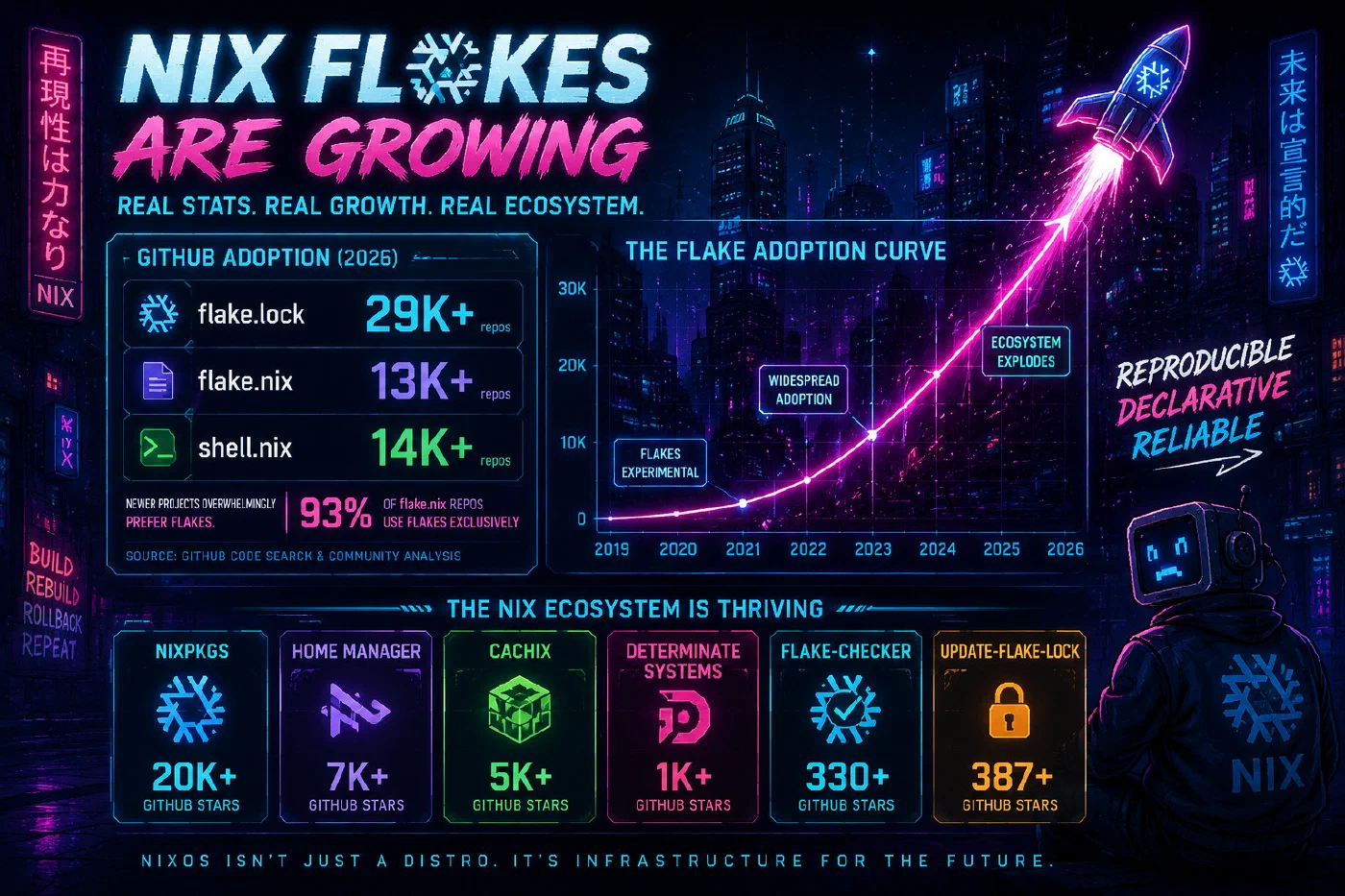
NixOS Is Growing
Despite its reputation as a “weird Linux distro for nerds,” Nix and NixOS are steadily gaining traction in serious engineering environments.
Companies and projects using Nix technologies include organizations like:
- Shopify - https://shopify.engineering/what-is-nix
- Anduril Industries
- Tweag - https://www.tweag.io/blog/2018-03-15-bazel-nix/
- Determinate Systems
A lot of companies are not necessarily replacing their entire operating system with NixOS overnight. Instead, many start by adopting the Nix package manager for:
- reproducible developer environments
- CI/CD pipelines
- dependency management
- build reproducibility
- infrastructure automation
That distinction matters.
In many ways, Nix feels less like “just another Linux distro” and more like a different way of thinking about systems entirely.
And after daily driving it for a while, you start to realize why people put up with the pain points.
My Pain Points
One thing you learn very quickly with NixOS is that it is not trying to behave like a traditional Linux distribution. Sometimes that is its greatest strength. Sometimes it makes you want to throw your keyboard through a wall.
Dynamic Linking and “Why Doesn’t This Binary Work?”
This is probably the first major wall many new NixOS users hit.
On a traditional Linux distro, you can usually download some random binary from the internet, mark it executable, and run it.
On NixOS?
./some-program
bash: ./some-program: cannot execute: required file not found
You stare at the file wondering:
“The file is literally right there. What do you mean NOT FOUND?”
The problem is usually not the binary itself. The problem is the dynamic linker.
Most Linux distributions expect the linker to exist at paths like:
/lib64/ld-linux-x86-64.so.2
NixOS does not work like that.
Nix stores everything inside hashed paths under /nix/store, and binaries are expected to reference exact dependency paths. This is one of the reasons Nix achieves reproducibility, but it also means random precompiled binaries often fail immediately on NixOS.
This is also why tools like ldd, readelf, patchelf, and nix-ld become part of your vocabulary very quickly.
nix-ld To The Rescue
One of the best quality-of-life improvements for NixOS is nix-ld.
It basically acts as a compatibility layer for foreign binaries that expect a more traditional Linux filesystem layout.
Something as simple as this can save you a massive amount of frustration:
{
  programs.nix-ld.enable = true;

  programs.nix-ld.libraries = with pkgs; [
    stdenv.cc.cc
    zlib
    openssl
  ];
}
I personally consider nix-ld almost mandatory if you are:
- doing game development
- downloading random SDKs
- using proprietary tools
- experimenting with Zig, Rust, AI tooling, or emulators
- working with AppImages
- using closed-source software
Purists will argue you should properly package everything.
They are technically correct.
But sometimes you just need the stupid binary to launch so you can continue your day.
You Start Learning ELF Internals Whether You Want To Or Not
Another funny side effect of NixOS is that you slowly become aware of how Linux actually works underneath the hood.
Things like:
- RPATH
- RUNPATH
- ELF interpreters
- dynamic loaders
- shared object resolution
- wrapper scripts
- linker flags
…suddenly stop being abstract concepts.
NixOS has a way of forcing you to understand parts of Linux most distributions quietly hide from you.
Honestly, this is both a pain point and one of the reasons I respect the project so much.
Documentation Can Be Rough
The NixOS ecosystem has improved massively over the years, but documentation can still feel fragmented.
Sometimes:
- the Wiki is outdated
- GitHub issues contain the real answer
- a random blog post from 2022 saves your life
- Reddit has the only working example
- the official docs assume you already understand functional package management
This is improving, but it is still one of the biggest onboarding hurdles for new users.
The Learning Curve Is Real
People love to joke that NixOS users think they are smarter than everyone else.
After using it for a while, I honestly think a lot of that reputation comes from survivorship bias.
Most people quit before it clicks.
NixOS forces you to think differently:
- your system is declarative
- environments are reproducible
- packages are immutable
- dependencies are explicit
- “just install it globally” stops being the answer to everything
Once it clicks, it is incredibly powerful.
Before it clicks, it can feel like Linux is gaslighting you.
Gaming and Hardware Can Still Be Annoying
To be fair, Linux gaming as a whole has improved dramatically.
But NixOS adds another layer of complexity when you start dealing with:
- GPU drivers
- CUDA
- ROCm
- VFIO
- libvirt
- AppImages
- Steam runtime weirdness
- proprietary launchers
- anti-cheat systems
I have spent more time than I care to admit fighting:
- Vulkan libraries
- Flatpak portals
- Wayland edge cases
- missing shared objects
- wrapped binaries
- Electron apps doing cursed things
And somehow after all that…
I still daily drive NixOS.
Level 1 Nerd Shhhhhhh…. Stuff
In the previous article I talked about how I managed to brick Fedora a few times.
You probably thought:
“IDIOT.”
No.
For about six years I have had a mission: GPU passthrough.
More specifically, passing a dedicated GPU directly into a Windows virtual machine.
WHY DOES THIS MATTER, JOHN?
Because I consider myself a power user.
I hate rebooting.
I hate constantly switching systems.
I want Linux and Windows running on the same machine at the same time. I want my development environment, terminals, Docker containers, SSH sessions, AI tooling, browsers, and Linux workflows all available while still being able to launch Windows for the few things Linux still struggles with:
- certain games
- anti-cheat garbage
- Adobe tools
- weird enterprise software
- random hardware utilities
- window builds
At the end of the day, I want a workstation.
Not a toy. Not a dual-boot setup from 2007. A real workstation.
That rabbit hole eventually led me into the wonderful world of:
- VFIO
- IOMMU groups
- PCI passthrough
- libvirt
- OVMF
- QEMU
- Looking Glass
- hugepages
- ACS patches
- vendor-reset modules
- and enough kernel panics to question my life choices
Why NixOS Changed The Game For Me
This is where NixOS became extremely powerful.
On traditional Linux distributions, GPU passthrough setups can become fragile over time.
One bad kernel update. One driver mismatch. One incorrect bootloader change. One forgotten modprobe config.
Suddenly your system no longer boots correctly.
I have absolutely done this before.
What makes NixOS different is that the entire system configuration becomes reproducible.
Not just packages.
The boot configuration. Kernel modules. VFIO bindings. Driver ordering. System services. Everything.
This means I can create specialized boot profiles specifically for GPU passthrough.
Something like this:
specialisation.vfio.configuration = {
  boot.kernelParams = [
    "amd_iommu=on"
    "iommu=pt"

    # bind the 7900XT + its audio to vfio-pci early
    "vfio-pci.ids=1002:744c,1002:ab30"

    # stop early framebuffer from touching the dGPU
    "video=efifb:off"
    "video=simpledrm:off"
    "video=vesafb:off"

    # optional but often helpful
    "vfio-pci.disable_vga=1"
  ];

  boot.initrd.kernelModules = [
    "vfio"
    "vfio_pci"
    "vfio_iommu_type1"
  ];

  # DO NOT blacklist amdgpu/radeon – you need amdgpu for the Raphael iGPU host display
  boot.blacklistedKernelModules = [ ];

  # make vfio-pci win the race for the target IDs
  boot.extraModprobeConfig = ''
    options vfio-pci ids=1002:744c,1002:ab30 disable_vga=1
  '';

  # leave xserver drivers alone; let host use amdgpu normally
  services.xserver.videoDrivers = [ "amdgpu" ];
};
What Is Actually Happening Here?
At a high level:
I am telling Linux:
“DO NOT touch this GPU during boot. I want to hand it directly to a Windows virtual machine.”
Normally Linux grabs the GPU early during startup using the AMDGPU driver.
That is a problem.
If the host OS initializes the GPU first, Windows passthrough becomes unreliable or completely breaks.
So instead:
- VFIO claims the GPU first
- Linux leaves it alone
- QEMU/libvirt passes the real hardware directly into the VM
- Windows thinks it owns a physical GPU
The VM gets near-native graphics performance.
This is not emulation anymore.
This is basically hardware partitioning.
The Part That Blew My Mind
With NixOS, this entire setup becomes declarative.
I can:
- rollback failed configs
- create alternate boot profiles
- experiment safely
- version control my workstation
- rebuild the entire machine from Git
That is the point where NixOS stopped feeling like “just Linux” to me.
It started feeling more like infrastructure engineering for my personal workstation.
And honestly?
Once you get used to treating your desktop like infrastructure, it becomes very hard to go back.
Alright… That Is Enough Nerd Stuff For Today
I could probably spend another 20 pages talking about:
- flakes
- overlays
- derivations
- immutable infrastructure
- build reproducibility
- why
/nix/storelooks cursed - or why rebuilding your entire operating system from a Git commit is somehow addictive
But I think this is enough brain damage for one article.
Next Time…
In the next article I want to dig into something I think NixOS absolutely shines at:
- development workflows
- reproducible dev environments
- flakes
nix develop- shell environments
- language toolchains
- Docker vs Nix
- why I think Nix is incredible for software engineers
- and why it completely changed how I approach development machines
We will probably also talk about:
- Zig
- PHP
- FFmpeg
- game development
- AI tooling
- and the absolute chaos of trying to keep modern developer environments stable across multiple projects
So yeah…
Welcome to the pipeline.